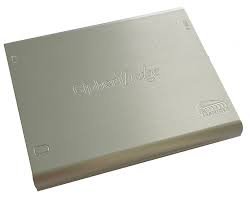

The Teledyne LeCroy Frontline Ethertest-CP ComProbe is a passive, non-intrusive Ethernet tap that captures and analyzes bi-directional network traffic without appearing as a network node or interfering with auto-negotiation, speed, or duplex settings. Unlike standard NICs that discard corrupted frames, this device captures both valid and invalid Ethernet frames—essential for comprehensive protocol analysis. USB-powered during operation, it includes a Permanent Network Link feature that maintains network connectivity even if USB power is lost or disconnected. The tap aggregates all packets traversing the network and transmits them to an analysis PC via a single USB 2.0 port.
Technical Specifications
• Device Type: Portable, non-intrusive aggregating Ethernet tap
• Data Capture: Bi-directional aggregated Ethernet data; captures valid and corrupted frames
• Network Visibility: Invisible to the network; does not appear as a network node
• Power Source: USB powered during data capture; no external power supply required
• Network Connectivity: Permanent Network Link ensures continuous connectivity without USB power
• Data Transmission: Single USB 2.0 port to analysis PC; maximum cable length 5 meters
• Network Speed Support: 10/100 Mbps Ethernet
• Power over Ethernet: Forwards PoE to end devices
• Network Ports: Two 10/100 RJ45 ports
• Data Integrity: Guaranteed no packet loss during power failure or USB disconnection
– Key Features
• Captures corrupted frames that standard NICs discard
• Completely transparent to network operation
• Compact, palm-sized form factor
• No installation requirements on monitored network devices
– Typical Applications
• Network protocol analysis and troubleshooting
• Ethernet frame inspection and validation
• PoE device monitoring and analysis
• Non-intrusive network diagnostics
– Compatibility & Integration
• Analysis Software: NetDecoder™, Ethertest™, and Wireshark (open-source)
• Operating Systems: Windows XP, Vista, 7 (32-bit and 64-bit)
• Drivers Required: Ethernet ComProbe drivers, WinPcap
• PC Configuration: IP address and subnet mask configuration for ComProbe required